 AI Zombie
How to Make a Zombie Pet Reunion Video with Your Dog or Cat
Put yourself and your pet in the same story. Photo 1 supplies the adult owner; Photo 2 supplies the pet. A tense warehouse encounter turns into a warm reunion as the zombie pet leaps toward its owner. This is a two-character story with a complete ending, rather than a single-photo pet transformation filter.
A complete owner-and-dog reunion, generated with this website

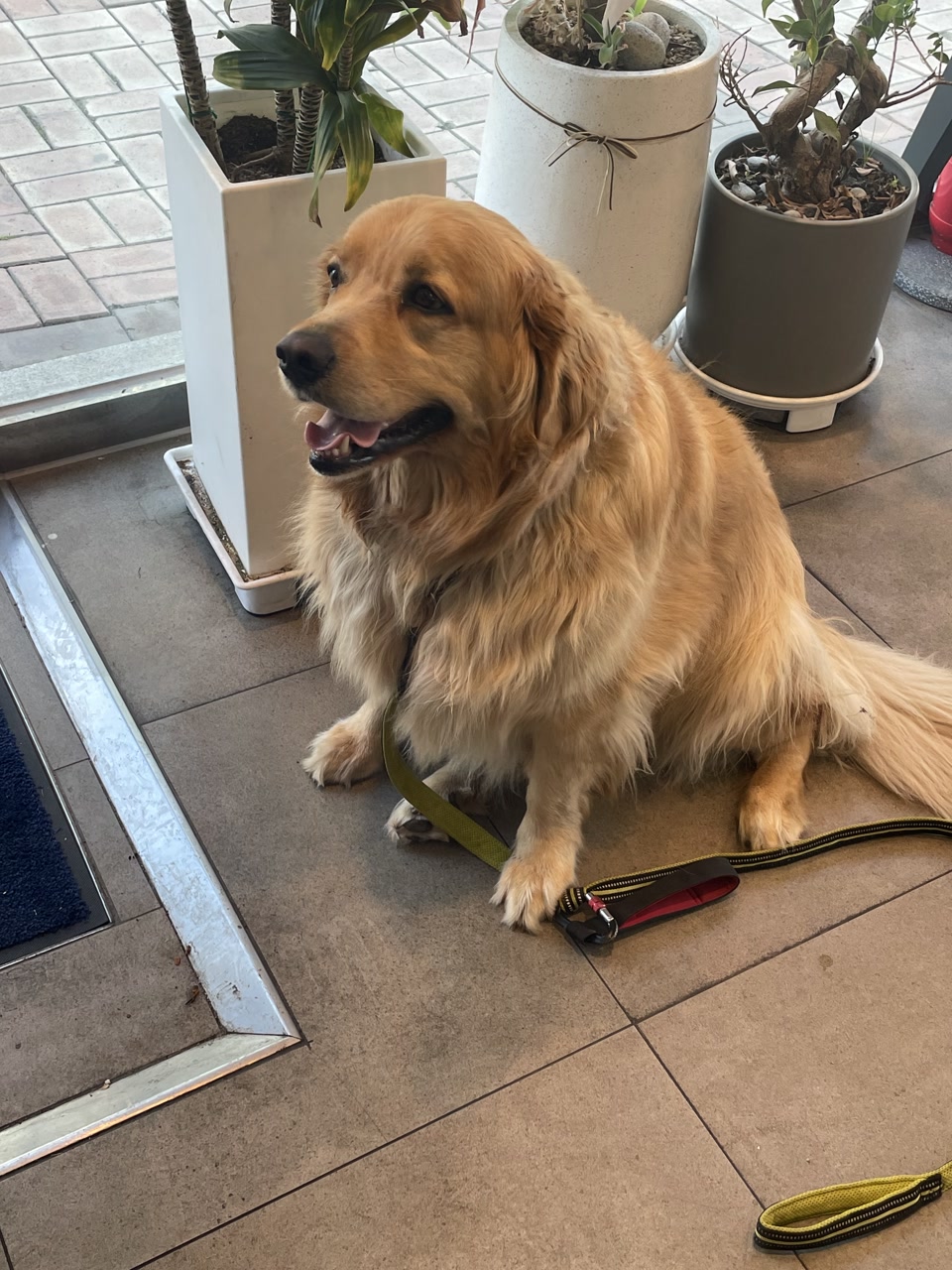
Photo 1 is the adult owner: the human character who lowers the fictional prop and welcomes the pet.
Photo 2 is the pet: the animal appears with fantasy zombie styling, moves toward the owner and returns to a healthy appearance in the memory. Keep the owner and pet in separate input photos.
Generated October 15, 2026 with Seedance 2.0 Mini.
Choosing a dog or cat photo
The demonstrated result on this page uses a golden retriever. Pet mode accepts an animal photo, including a dog or cat, in the second slot; cat and other animal results have not yet been tested for this guide. Use the dog example as evidence of this specific reunion, rather than a guarantee of another species’ result.
Follow the story through four key moments
These frames come directly from the complete generated video above. The template uses seven shots to tell four story stages.
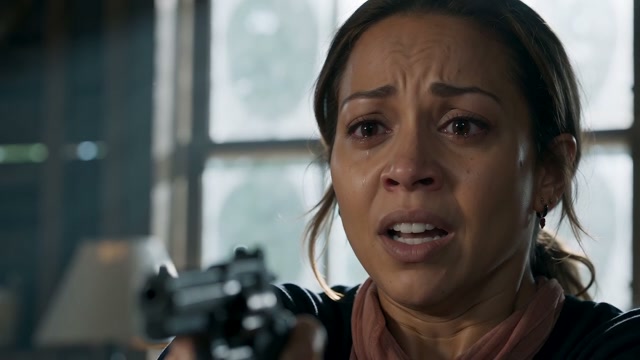
The owner
The owner faces the pet in the warehouse.
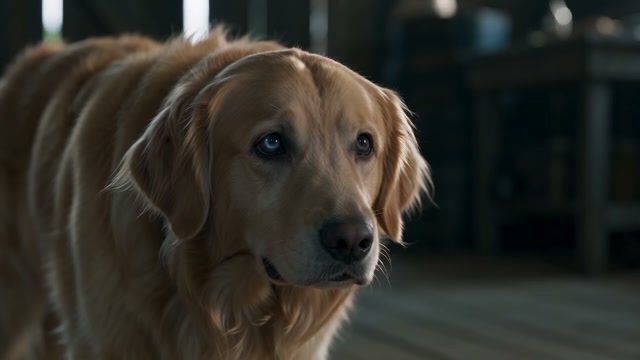
The zombie pet
The golden retriever has a fantasy eye treatment while retaining its animal form.
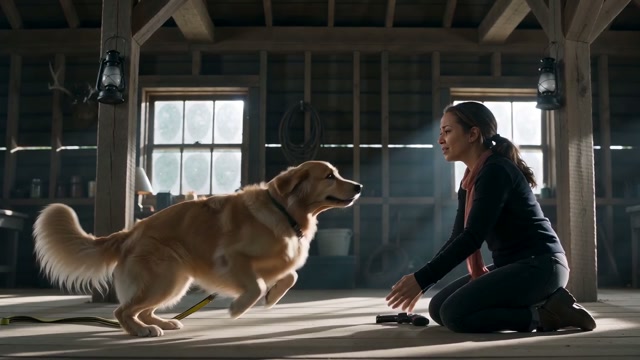
The forward leap
The dog leaps toward the owner while the warehouse is still visible.
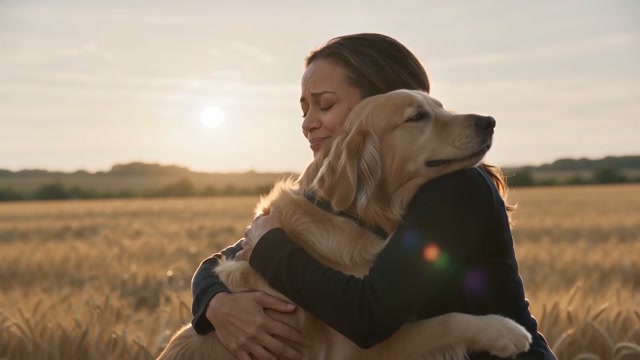
The reunion
The owner holds the healthy dog in the warm field memory.
In this dog example, the leap begins in the warehouse and the field appears as the dog reaches the owner’s embrace. The template asks the forward leap to trigger the memory; this result transitions at the embrace.
Make your pet reunion in five steps
Choose an owner photo and a pet photo
Use one clear portrait of a consenting adult and one sharp photo of your pet. Show the pet’s eyes, muzzle, ears and distinctive markings, with one animal in the photo.
Open the generator and select Pet
Use the Pet tab before uploading: Photo 1 is the human and Photo 2 is the animal. Choose 480p or 720p and 16:9 or 9:16.
Sign in and confirm your inputs
Sign in with Google, add a credit pack and confirm your permission to use both photos. Pet and Couple videos each cost 100 credits.
Let the template build the reunion
The preset handles the encounter, fantasy zombie look, welcoming gesture, forward leap and warm memory, plus the soundtrack. You do not need to write a prompt or stitch scenes together.
Watch the result and save it
Check the pet’s breed and markings, the owner’s appearance and the leap-to-reunion transition. Download the completed MP4 from your account within 14 days.
Open the generator → Select the Pet tab to set the owner and animal roles.
Choose clear photos for each role
Face, light and framing
- Use one subject per image, with a clear front-facing or gently angled view.
- Keep the whole head in frame. For pets, show the ears, muzzle and distinctive fur markings.
- Choose even lighting and sharp detail; keep sunglasses, masks, hands and heavy filters away from the face.
- Upload original portraits. The template adds the fantasy zombie styling.
Upload requirements
JPG, PNG or WebP; up to 10 MB per photo. Each side must be 301–5999 pixels. The image width-to-height ratio must be greater than 0.4 and less than 2.5.
Use photos you are authorized to use, with consenting adult human subjects. If an image is rejected, choose a file that meets these requirements before submitting again.
Your choices, with the story handled for you
| Setting | What you can choose |
|---|---|
| People or pet | Two photos; Couple or Pet mode. Swap Roles is available in Couple mode. |
| Resolution | 480p or 720p, both 100 credits. Choose 720p for the higher-resolution option; 480p is the lower-resolution option. |
| Framing | 9:16 for a portrait composition suited to TikTok, Reels or Shorts; 16:9 for a wide composition like the example above. Choose before generating. |
| Story and length | A fixed 15-second sequence: encounter, zombie reveal, compassion and warm memory. The template sets the locations, camera instructions and ending. |
| Music and editing | The template soundtrack is attached automatically. The current generator has no custom prompt, scene, music, ending, duration, frame-rate or 1080p controls. |
The full video is assembled for you. You can edit a downloaded MP4 separately in your own video editor.
Credits, progress and your download
Every generation costs 100 credits, in either mode and either resolution. The smallest one-time purchase is $9.99 for one video. Compare the three credit packs and free viewing options.
A confirmed generation failure returns the reserved 100 credits. A task still processing or being checked keeps its reservation: check that existing task instead of submitting another. Starting a new generation with changed photos, roles or settings costs another 100 credits.
Once complete, preview and download the private MP4 in your account at no additional credit cost. Videos are retained for 14 days after completion, then automatically deleted. Photos are automatically deleted 24 hours after upload, or earlier when generation finishes. See the privacy policy.
Cash refunds are separate from failure credit returns: purchases qualify for a full refund within 7 days, for any reason. Email support with your order number or purchase email. Read the refund policy.